kwitto
kwitto For the trip, the flat share, the team — and everyday life as a couple

Shared expenses. No mental maths.

kwitto is the shared notebook for expenses. Everyone notes what they paid; kwitto adds it up, shows who owes whom how much, and suggests the shortest way to settle. And once everything is even: kwitto!

Start free — creating groups, adding expenses and settling up stays free for good.

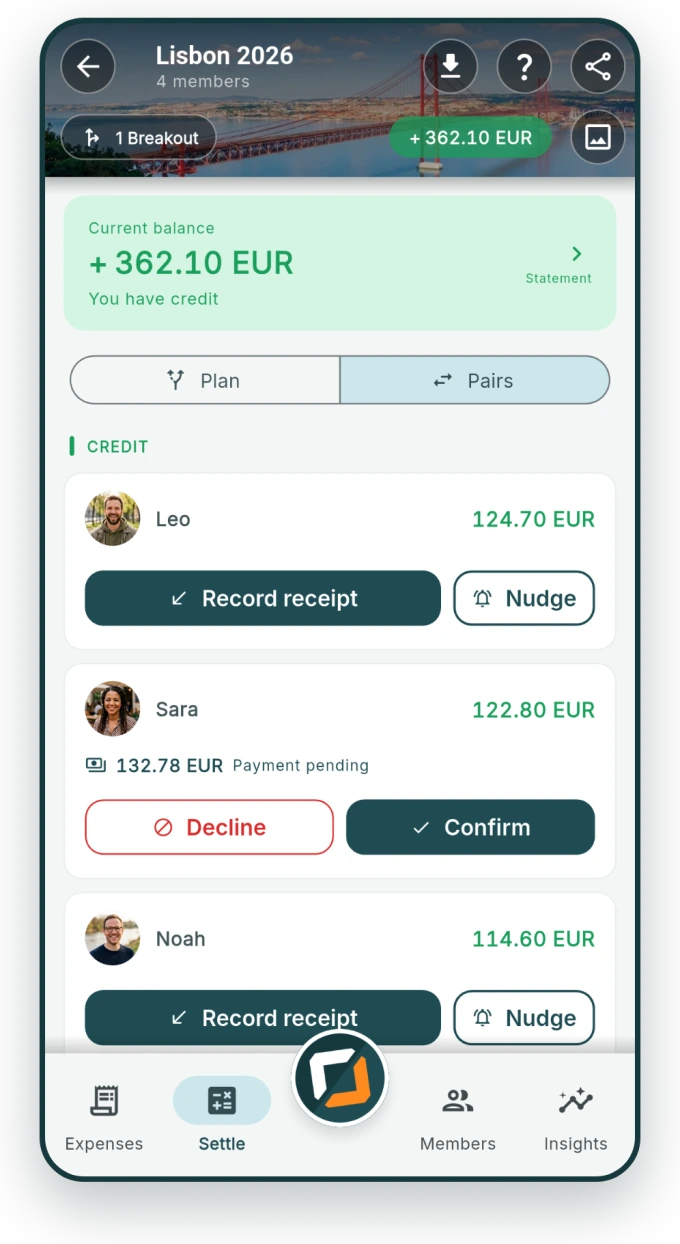
kwitto showing a trip group's balance: credit, pending payments and buttons to record or nudge.
  • No ads
  • Your data is never sold
  • Works offline
  • 17 languages
Three steps

Add it, let kwitto do the maths, be even.

That is all the handling there is. kwitto takes care of the rest.

  1. Everyone adds

    What you paid is in within seconds — by hand, straight off a receipt, or from your phone's home screen (Android).

  2. kwitto does the maths

    Equal, by shares, or per person. Down to the cent, even when several currencies are involved.

  3. You settle up

    kwitto suggests the fewest payments that clear every debt. Each one is confirmed — then it is done.

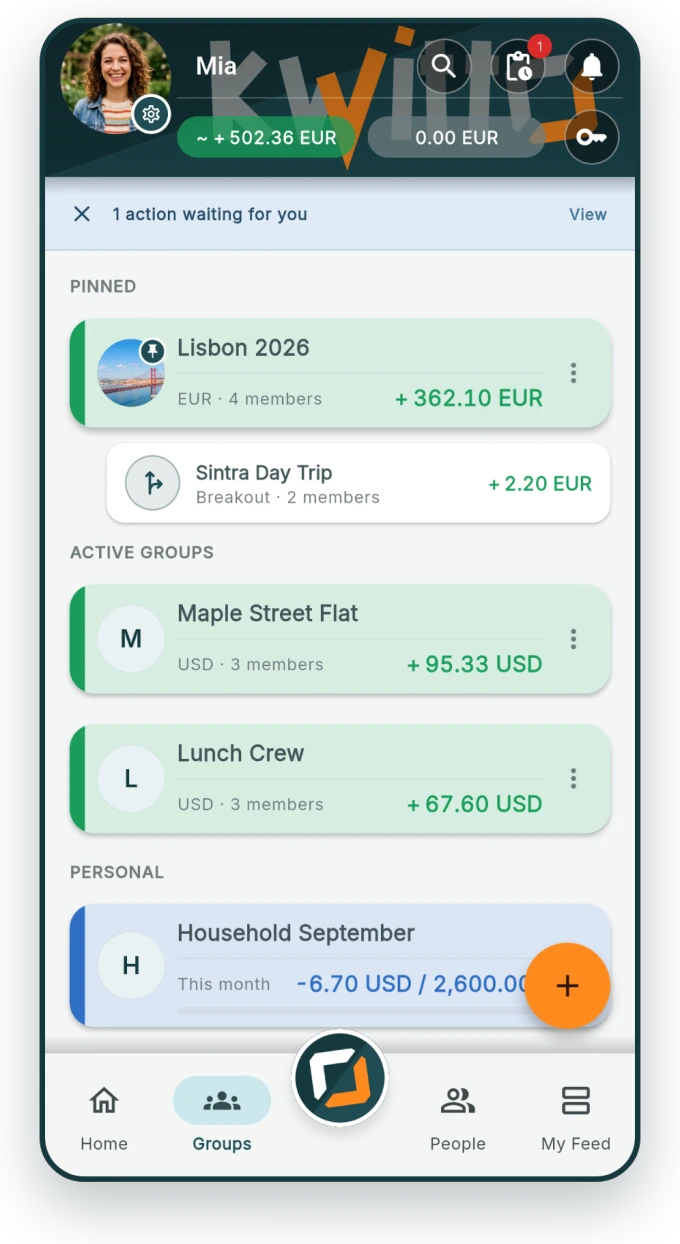
kwitto's group overview with a pinned trip, a flat share, a lunch crew and a personal list.
Groups

Every circle in one place.

The trip, the flat share, the lunch crew, the weekend away — each circle has its own group and its own balance. Pin what matters to the top; finished groups move to the archive without getting lost.

  • Groups for trips, households and events — or a direct 1:1 balance
  • People who don't join are added as placeholders — nobody has to install anything
  • Its own currency per group, converted automatically
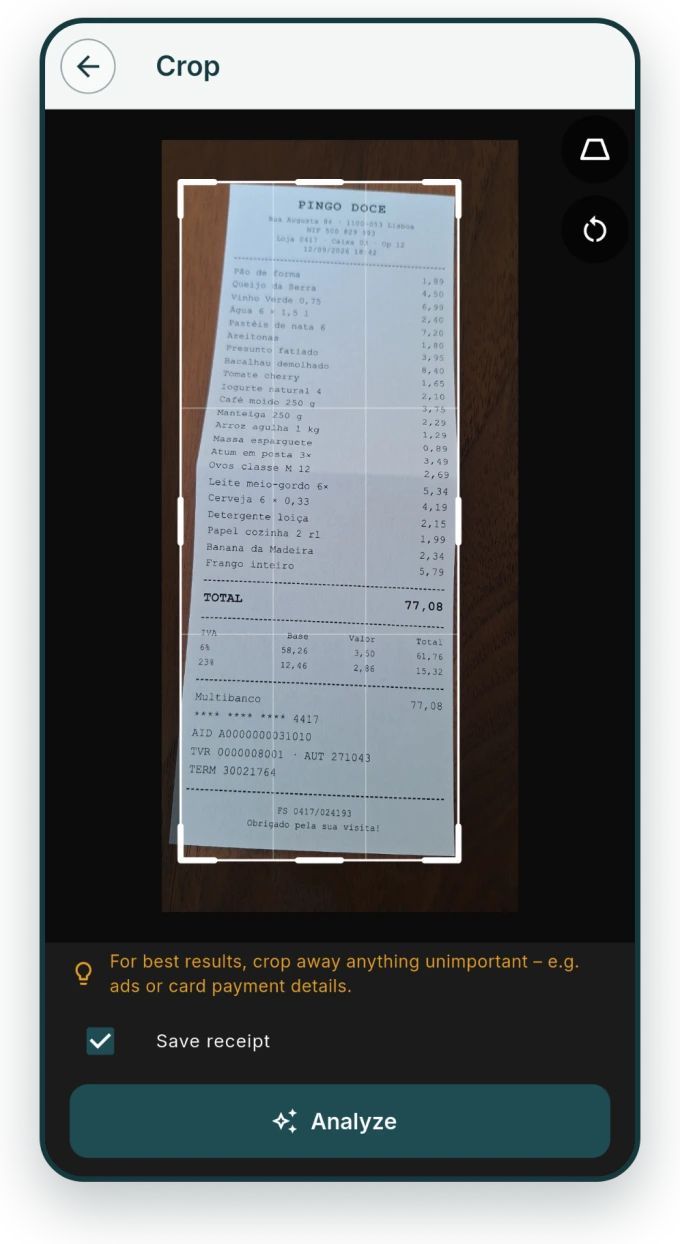
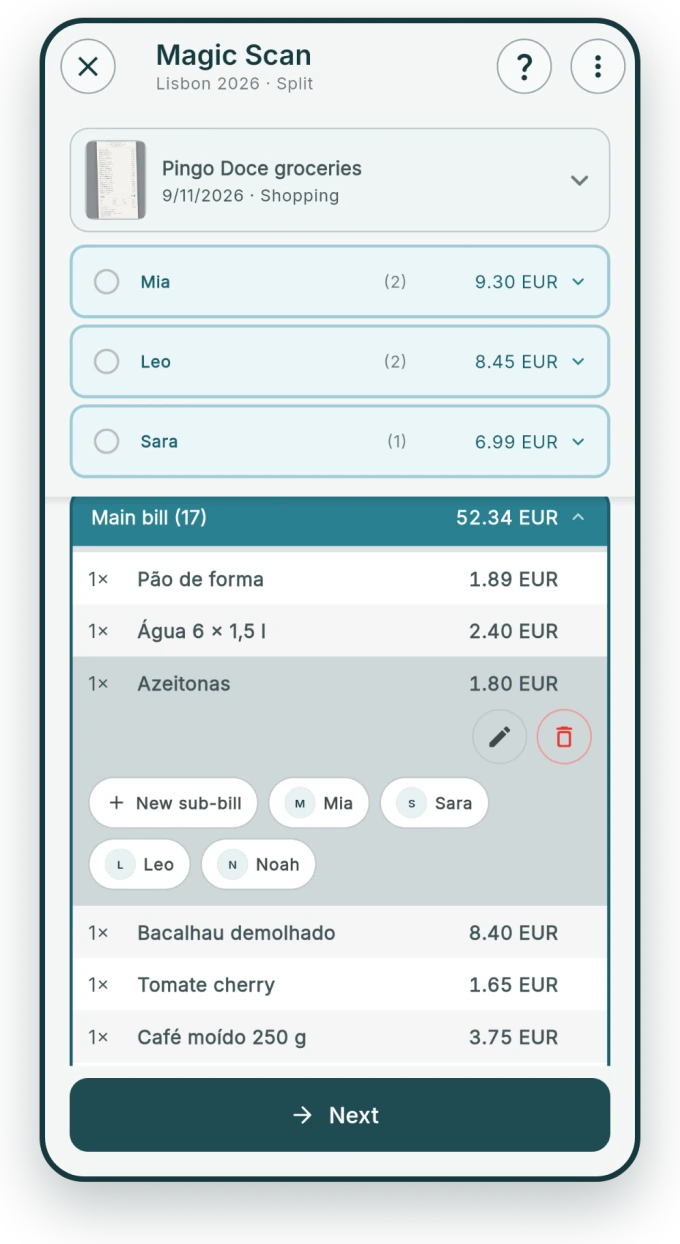
Cropping view: the photographed receipt is straightened and trimmed. Magic Scan has read the receipt's line items and assigns them to the people involved.
Magic Scan

Snap the receipt, done.

Crop it, straighten the perspective — kwitto reads the rest: every item, every amount, the total. All that's left is saying who had what. Seventeen lines of supermarket receipt become a fair split without anyone typing.

  • Reads items, quantities and amounts — in foreign languages too
  • Sub-bills: one receipt, several groups of people
  • PDFs work as input too — invoices from your inbox, not just your pocket
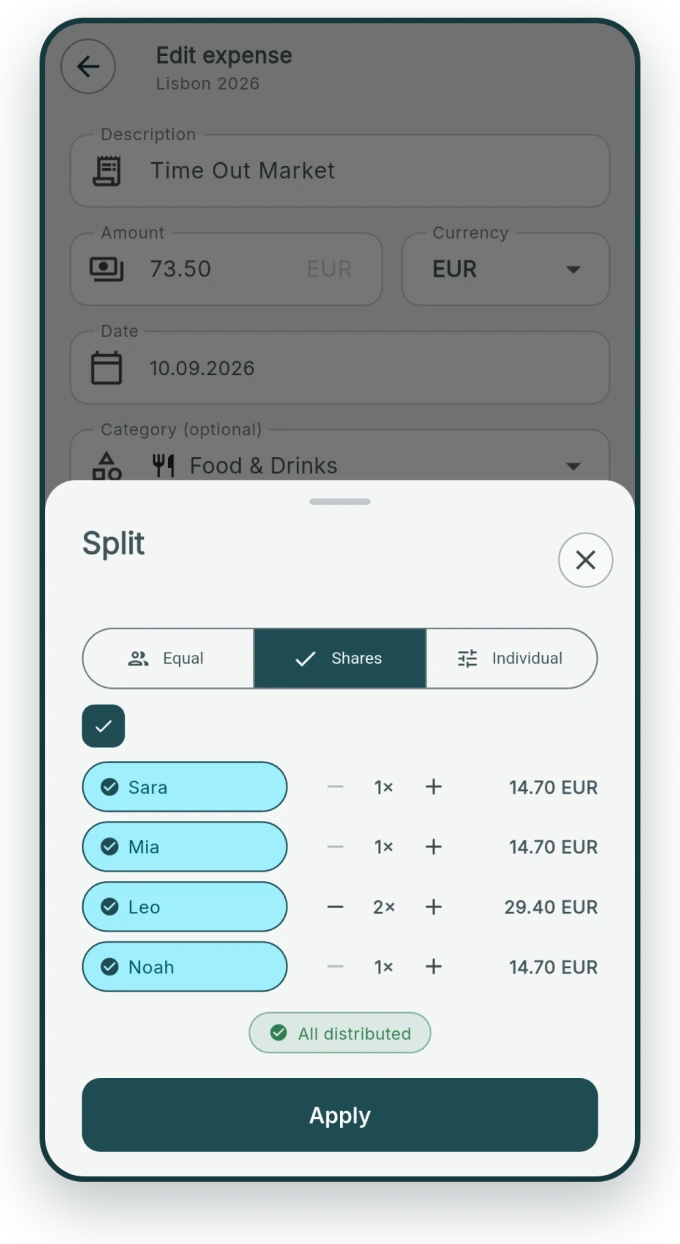
Split dialog: equal, by shares, or per person.
Splitting

Split it fairly, your way.

Equal, by shares, or per person. Whoever only joined for breakfast pays for breakfast. kwitto works in whole cents, and the leftover cent goes to whoever entered the expense — so the total adds up and nobody goes looking.

  • Three ways to split, switchable at any time
  • Several payers for a single expense
  • Income and refunds handled just like expenses
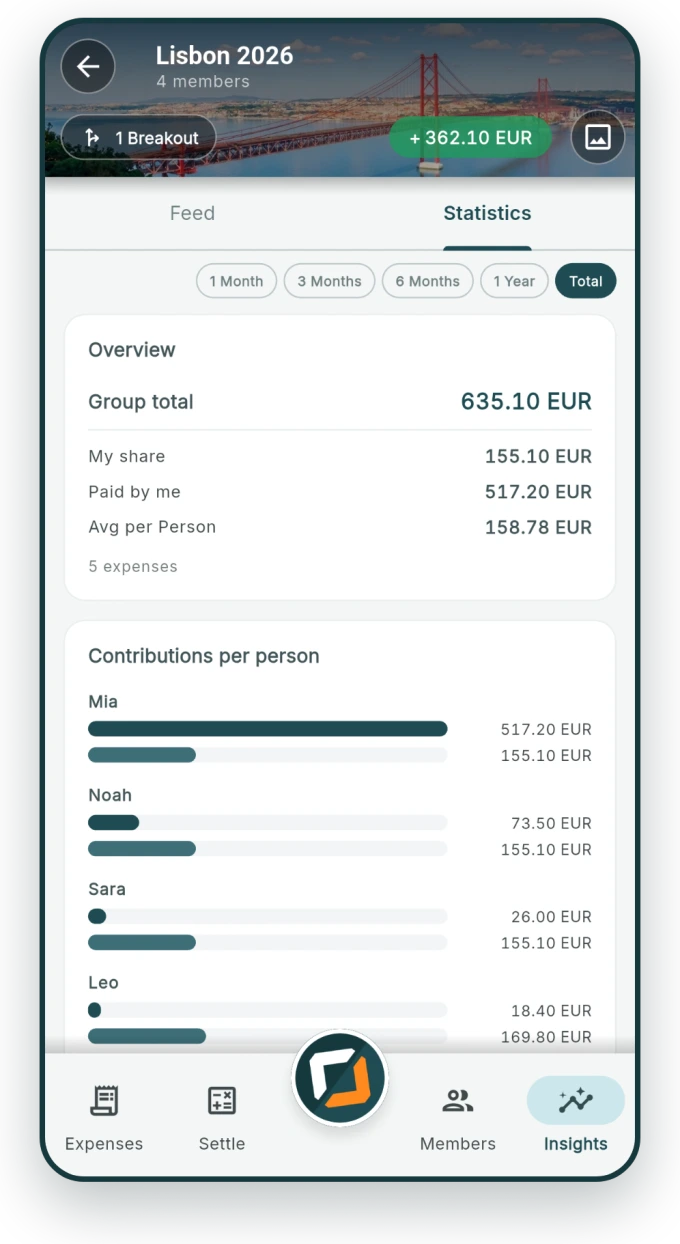
Insights with categories, a monthly trend and the group's key figures.
Insights

Where the money went.

By category, by month, by person. At the end of the trip you know not just who owes whom, but what you actually spent it on. As a PDF report — to share, not to search for.

  • Categories, a monthly table and key figures at a glance
  • Report as PDF, raw data as a spreadsheet
  • Shared from your phone — kwitto sends nothing itself
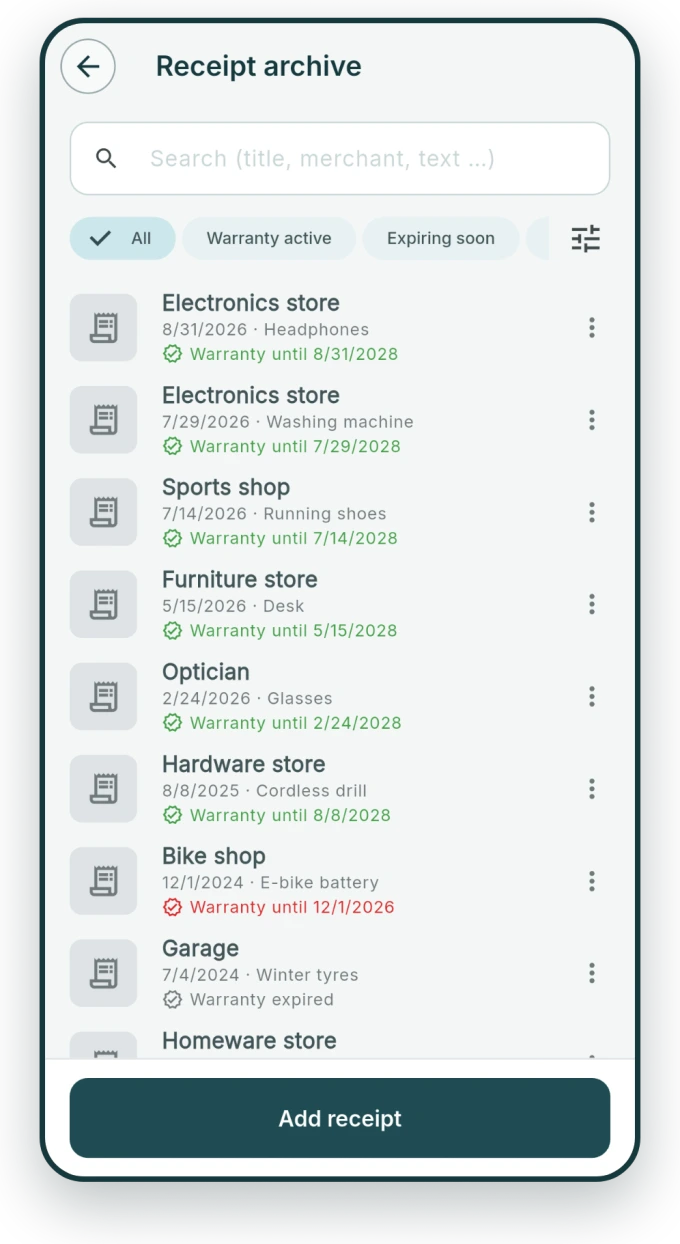
Receipt archive with search by purchase date, keyword and warranty period.
Receipt archive

Receipts when you need them.

Purchase date, keyword, warranty date — findable instead of stuffed in a drawer. The receipt you photographed for the split is still there two years later, when the washing machine gives up.

  • Search by merchant, keyword, note and receipt text
  • Warranty dates in view — the next one sits on your home screen
  • Photo or PDF, attached to the expense itself
And then

Four things that make the difference.

Side trips stay in the trip

Breakouts for smaller rounds inside a group — settled cleanly back into the whole at the end.
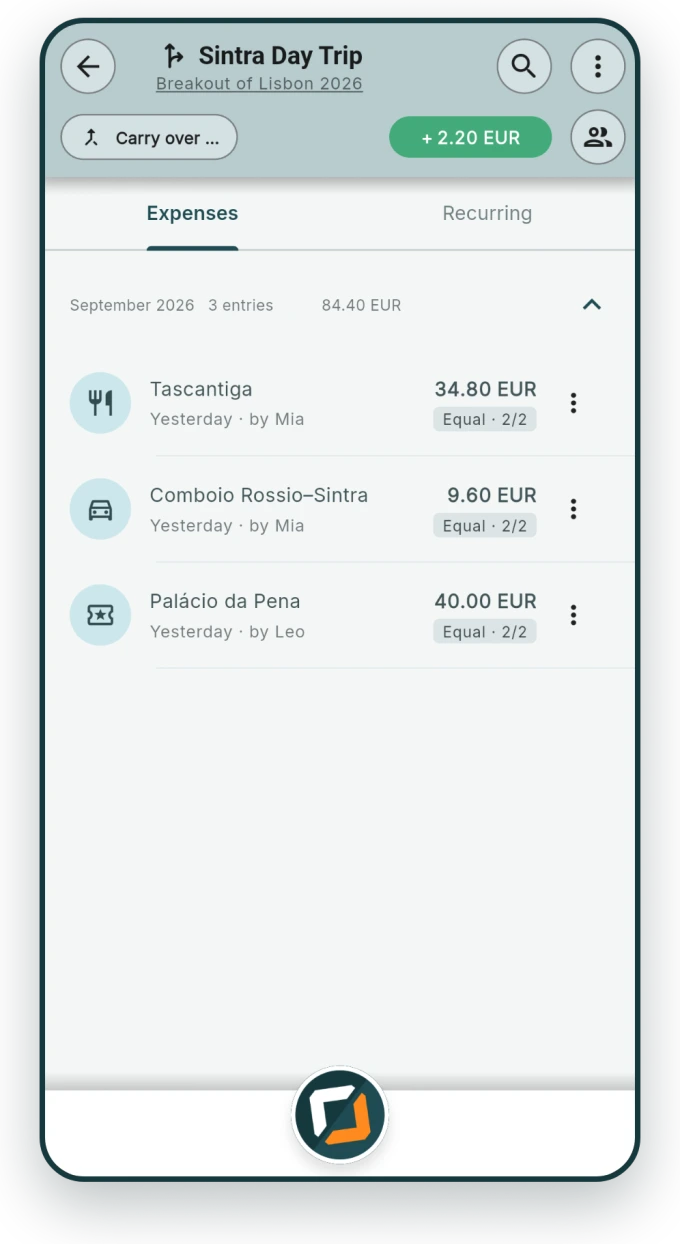
A breakout for a day trip inside the travel group.

Across every group

What one person owes you sits in a single place — no matter how many groups it came from.
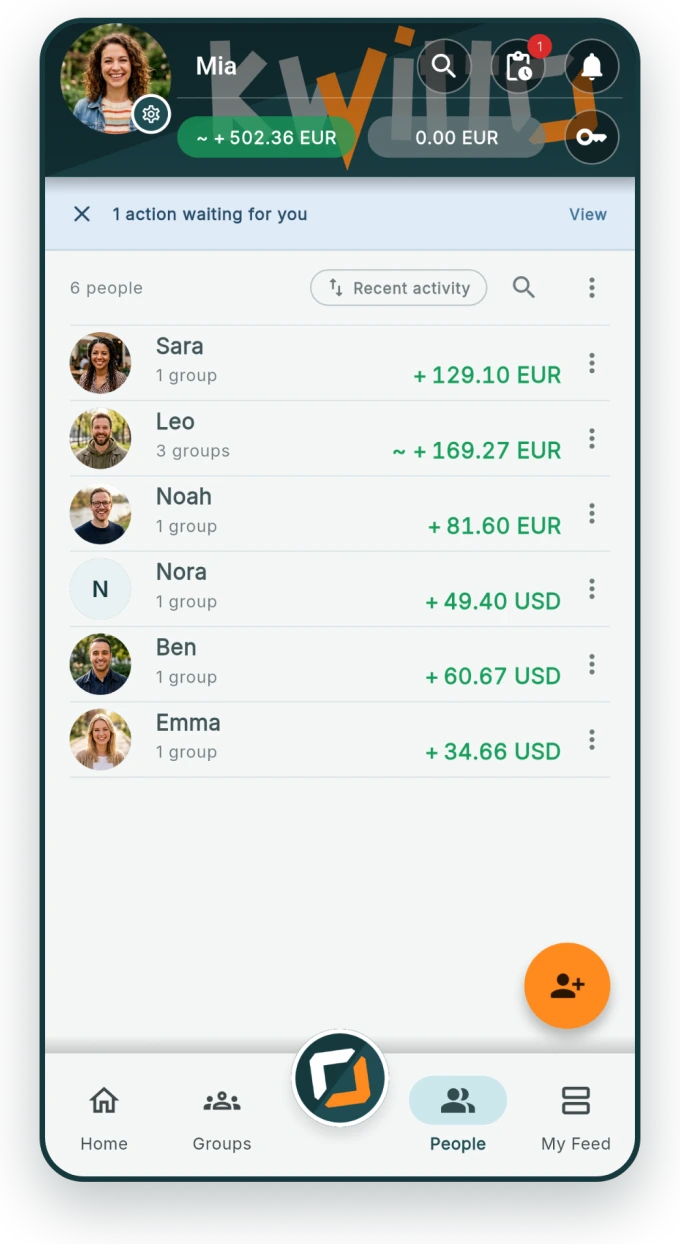
People view showing one person's total balance across all groups.

Just for you, too

A cashbook, a household or project ledger — with budgets and recurring expenses, no group needed.
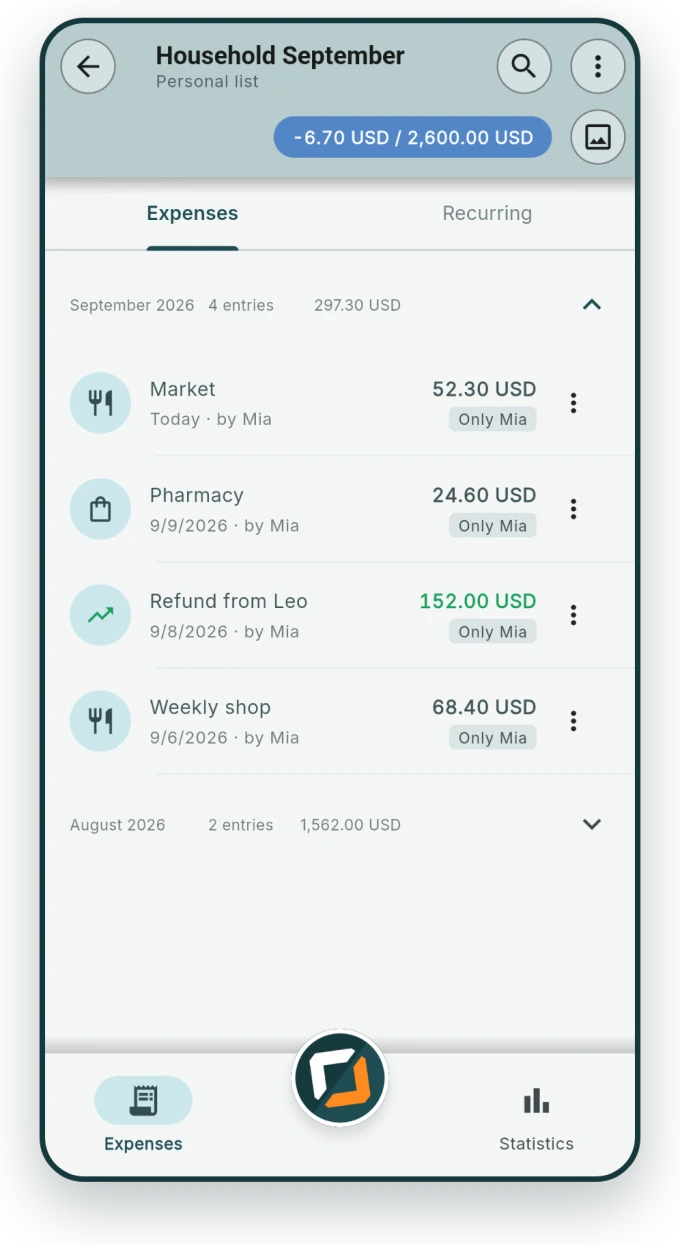
Personal cashbook with a budget bar and running entries.

Your start, your tiles

Arrange groups, lists and insights the way you need them — not the way an app decided.
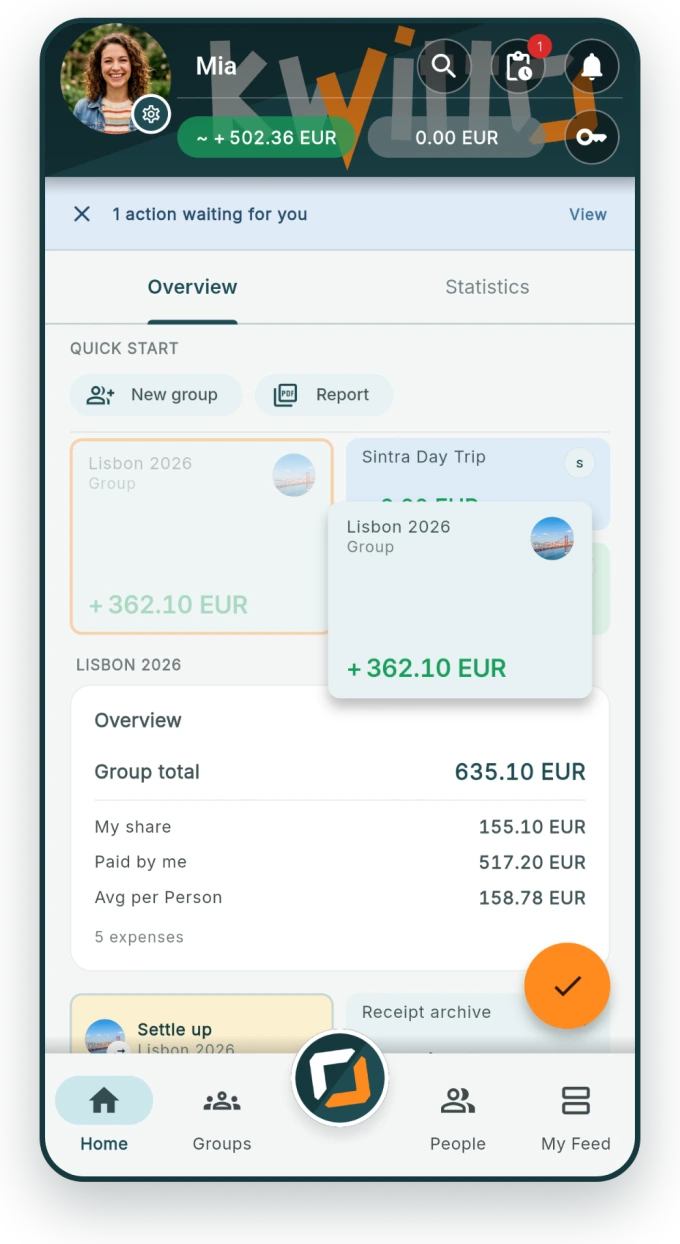
Home screen with freely arranged tiles for groups, lists and key figures.
The good kind of small print

What else is in there.

Works offlineAdd expenses with no signal — on a plane, in a basement, up a mountain. kwitto syncs later.
Multiple currenciesRates applied automatically, balances still a single number.
Recurring expensesRent, energy, subscriptions — set up once, kwitto enters them.
Moving from Splitwise & co.Import the export, balances carry over. You don't start from zero.
Home screen widgetAdd an expense without opening the app (Android).
Receipts as photo or PDFAttached to the expense, not filed in a second place.
Push, not your inboxkwitto sends no marketing or reminder emails. It's all in the app.
17 languagesEveryone sees kwitto in their own language — in the same group.
Deleted means deletedData export and account deletion right in the app, no email exchange.
Staying honest

kwitto moves no money.

kwitto is a notebook with a calculator: it keeps what you enter and does the fair maths. It is not a payment service. You settle up however you agree — bank transfer, cash, whatever suits you.

kwitto keeps the score. The rest is up to you.

Pricing

Sharing is free. Comfort costs.

Creating groups, adding expenses and settling up stays free for good — for everyone involved.

Free

€0 forever

Everything you need to share.

  • As many groups and breakouts as you like
  • Add, split and settle expenses
  • People view across every group
  • Personal lists and cashbook
  • Offline, 17 languages, no ads

No sign-up pressure for the others: anyone who doesn't join is added as a placeholder.

Recommended

Yearly

€14.90 / year

That's €1.24 a month.

  • Everything in Free
  • Magic Scan: receipts read automatically
  • Receipt archive with no limit
  • Insights and statistics
  • Export as PDF and spreadsheet
  • Recurring expenses

Cancel in the store, any time.

Monthly

€1.99 / month

For one trip, not for a year.

  • The same features as the yearly plan
  • Cancel monthly
  • What you entered stays yours afterwards

When it ends, every group and expense stays usable — only the extras go to sleep.

The first 90 days are fully unlocked — with everything included. No ads, no reselling your data: you pay with the price, not with yourself.

FAQ

The questions that come up.

Does everyone have to install the app?
No. Anyone who would rather not is added as a placeholder and still counts in the maths. If they join later, kwitto links the placeholder to their account — the history stays intact.
Can kwitto transfer money?
No, and that's on purpose. kwitto is not a payment service: it does the maths and keeps the score, while settling happens outside — bank transfer, cash, however you usually do it. kwitto can produce a payment QR code if you've stored your bank details.
Does it work without internet?
Yes. Expenses can be added and edited with no signal; kwitto keeps them locally and syncs as soon as you're back online. Only the receipt scan needs a connection — it doesn't run on the phone.
I'm coming from Splitwise or Tricount — do I start over?
No. kwitto imports the export file and takes over expenses and balances, so a running group picks up where it left off.
What happens to my data?
It's yours. kwitto shows no ads, sells nothing on and sends you no marketing email. What is stored is set out in the privacy policy; you request access or deletion right in the app.
What does kwitto really cost?
Sharing, splitting and settling cost nothing — for good. You only pay for Magic Scan, the unlimited receipt archive, insights, exports and recurring expenses: €14.90 a year or €1.99 a month, cancellable in the store. The first 90 days are free.

The next trip adds itself up.

Get kwitto, create a group, send the link around. You'll handle the rest as you go.